Chrome extension · in development

The art of seeing value.

Discover overlooked artworks. Investigate their stories. Explore their potential.

Two men in dark coats stand on a rocky path under a dead oak, looking at a pale moon in a twilight sky.
Caspar David Friedrich, Two Men Contemplating the Moon, ca. 1825–30The Metropolitan Museum of Art, public domain
Scroll

Look closer.

Research starts with the object itself: the surface, the inscription, the small decisions of a hand.

Rembrandt in a dark coat and cap, lit from the left, looking out of deep shadow.

Inscribed at the right edge: Rembrandt f. 1660
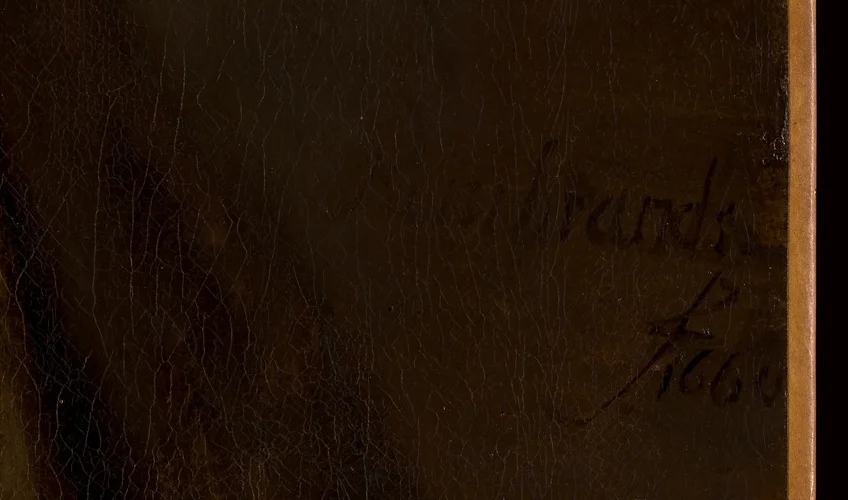
The inscription “Rembrandt f. 1660” in dark paint on the dark background, close up.

Questions a researcher asks – shown here as examples, not as findings

  1. Is the inscription in the original paint layer, or on top of a later varnish?
  2. Do the letterforms match documented examples from the same years?
  3. Where has the picture been, and what did its earlier descriptions say?

Rembrandt (Rembrandt van Rijn), Self-Portrait, 1660 · The Metropolitan Museum of Art, public domain

From viewing to investigating.

The Research Workspace keeps each question in its place: the photos and their marked areas, the seller’s claims, the AI’s hypotheses and your own observations – separated, never merged.
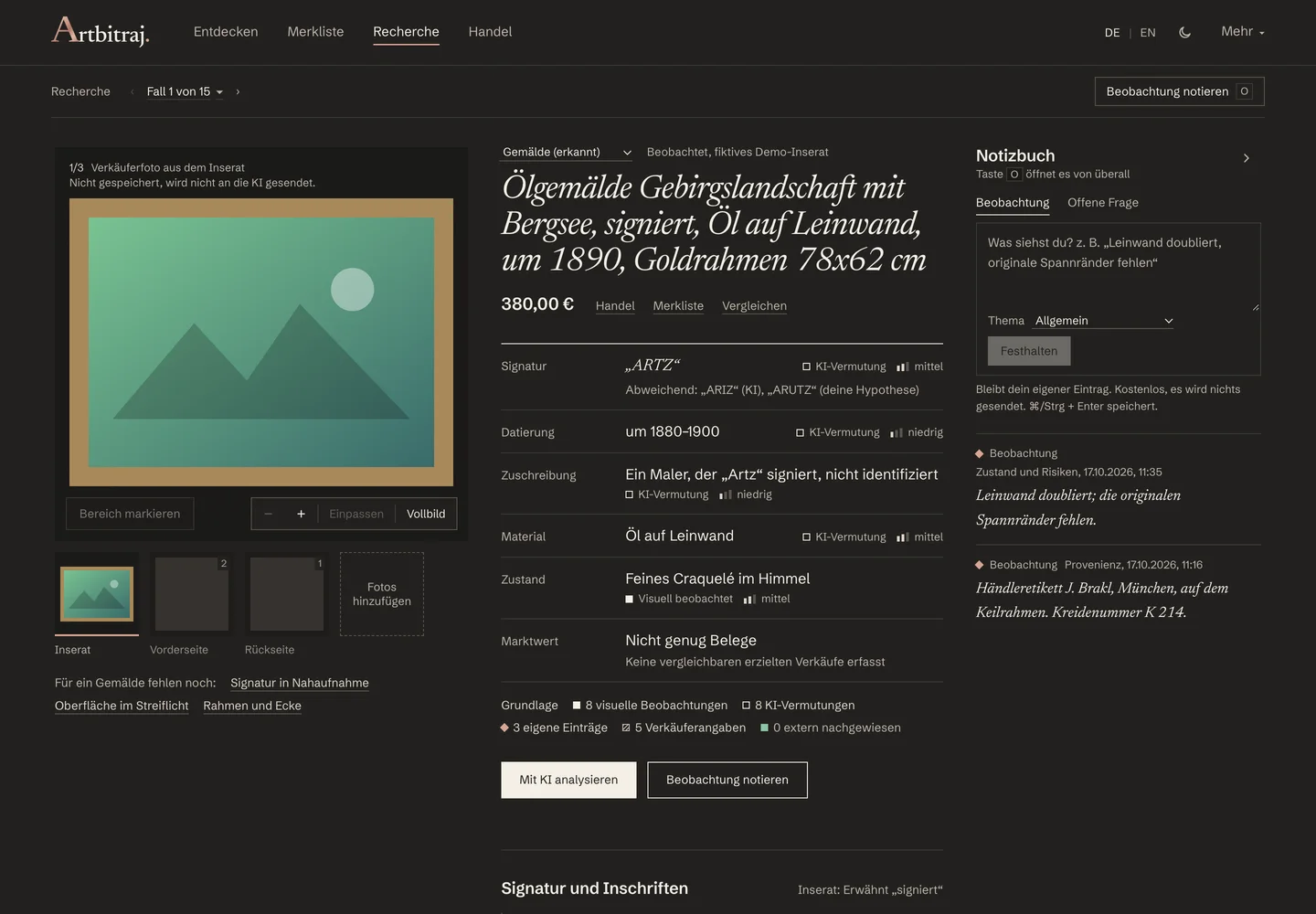
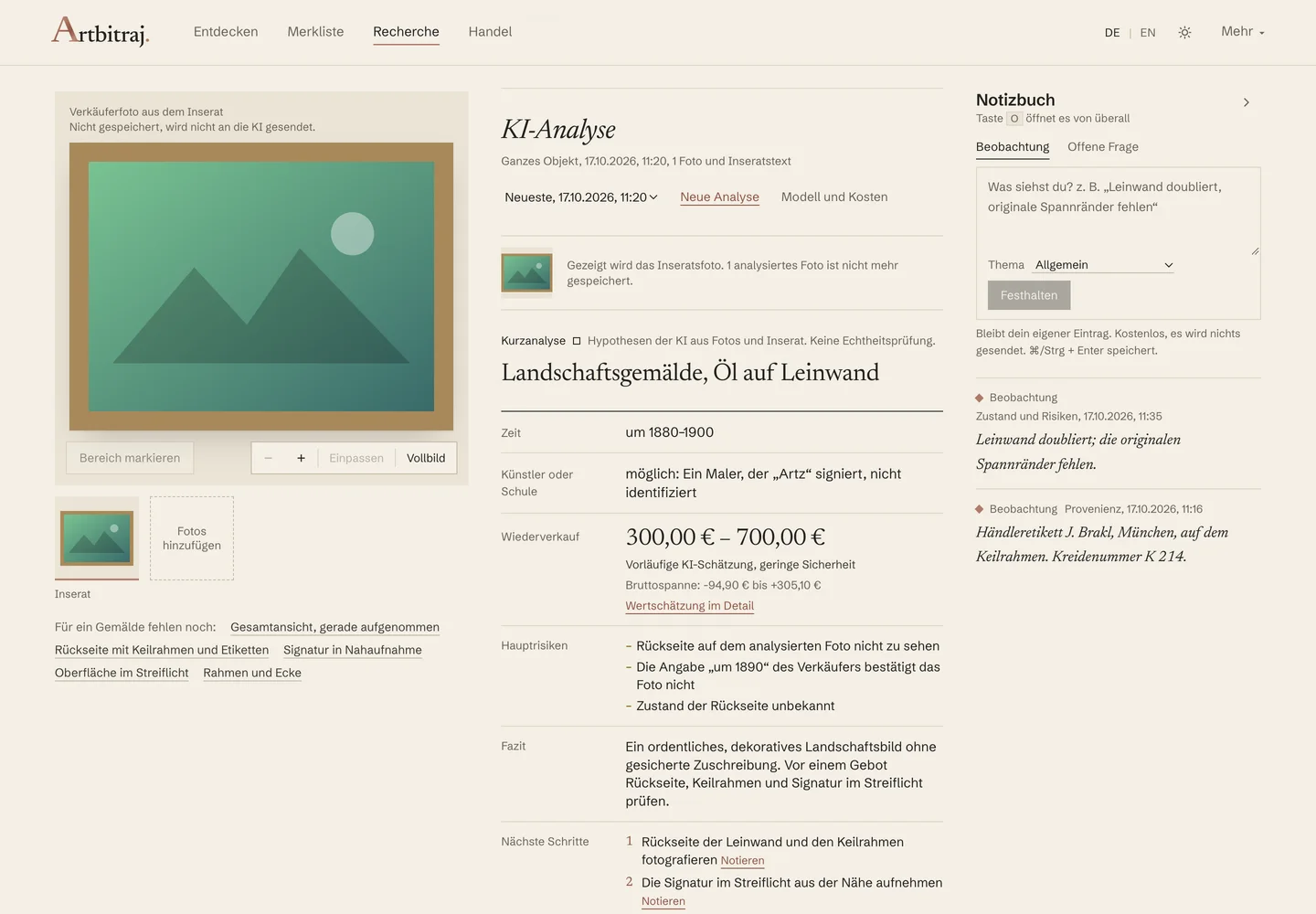
The Research Workspace: the artwork in the viewer on the left, the catalogue entry in the centre, the notebook on the right.
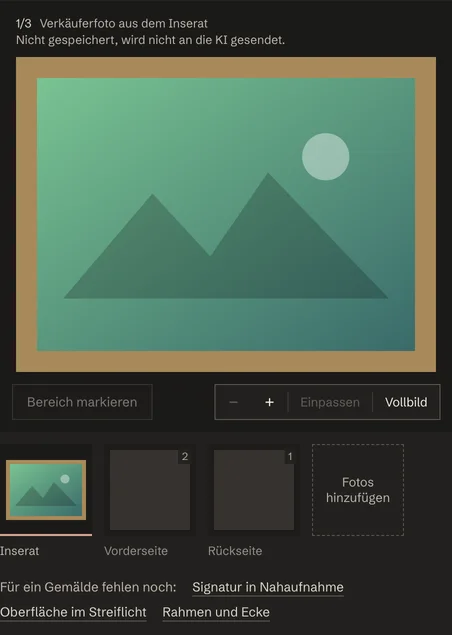
  1. 1Signature inspection Mark the inscription on your own photo and compare readings side by side.
  2. 2Dating Seller claim, AI hypothesis and your own dating, each on its own line.
  3. 3Attribution hypotheses Named as hypotheses with their confidence, never as a verdict.
  4. 4Visual evidence Marked areas open in the viewer at full size.
  5. 5Research notes Your observations stay yours and are never sent anywhere.
Demo data Research Workspace, version 0.4.5, dark mode. Demo case with generated test photos; the “Artz” signature is part of the demo, not a real work.

Art meets intelligence.

On request, Artbitraj sends your photos and the listing text to an AI model and returns a structured quick analysis. Every finding carries its evidence and its uncertainty.

  • Structured observationsWhat the model sees in the photos: medium, technique, condition, visible marks.
  • Dating and attribution cluesPeriod, school and a possible attribution, each as a hypothesis with a confidence level.
  • Condition and uncertaintyWhat cannot be judged from a photo is said plainly, not guessed.
  • Preliminary resale rangeA range, not a number – and only when the evidence allows one.

AI findings are research aids, not expert authentication. An analysis runs only when you start it, after you have seen its estimated cost.
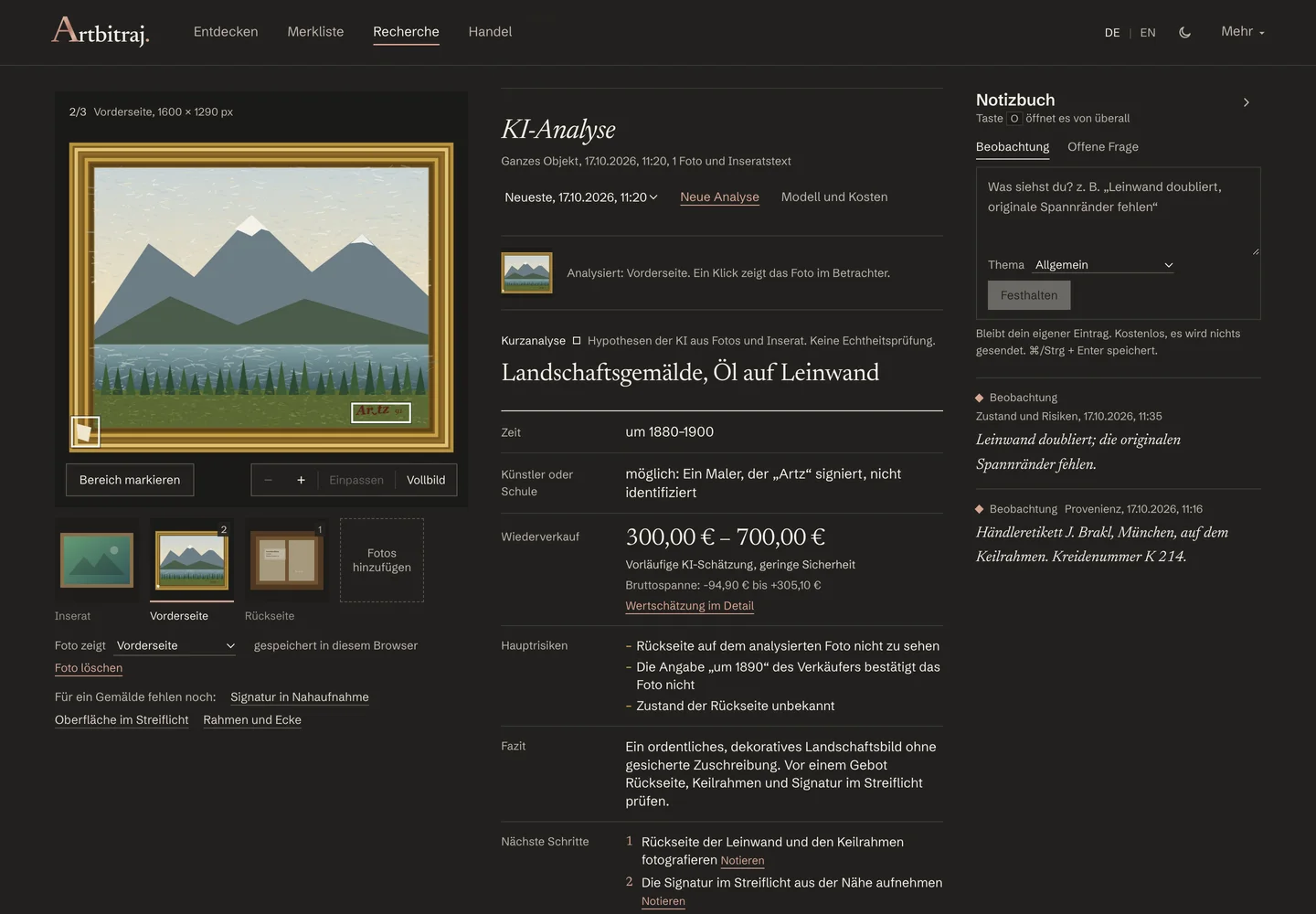
The AI quick analysis: time, artist or school, resale range, main risks and conclusion in labelled rows.
Demo data AI quick analysis in the Research Workspace, version 0.4.5, dark mode. Demo case; the stored analysis is a test answer, not a live request.

Beyond the asking price.

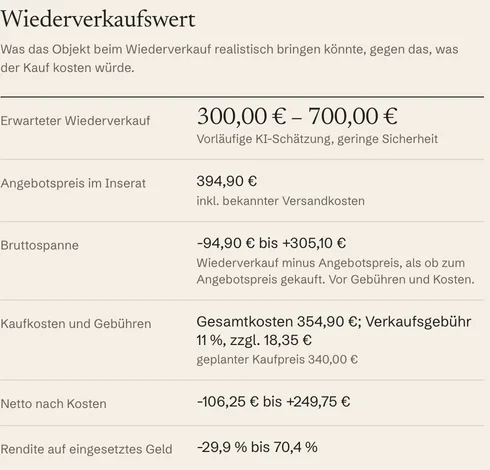
A listing names a price. Artbitraj helps you weigh it: against a preliminary resale range, the costs of buying and selling, and the risks the evidence shows.

Example from a demo analysis

Expected resale
€300 – €700preliminary AI estimate, low certainty
Asking price in the listing
€394.90incl. known shipping costs
Gross margin
−€94.90 to +€305.10
Net after costs
−€106.25 to +€249.75
What would weigh on the value
  • Condition of the reverse unknown
  • A later overpainting in the sky would lower the value
What is missing for a reliable estimate
  • Achieved prices of comparable, verified works
  • A confirmed attribution

An image analysis cannot see market prices. The range rests on photos and listing text alone, without achieved comparison prices. Artbitraj promises no profit.

Demo data Fields and values from the stored demo analysis of a fictional listing.

Your art research, beautifully organized.

Five views, one visual language, in the browser you already use.
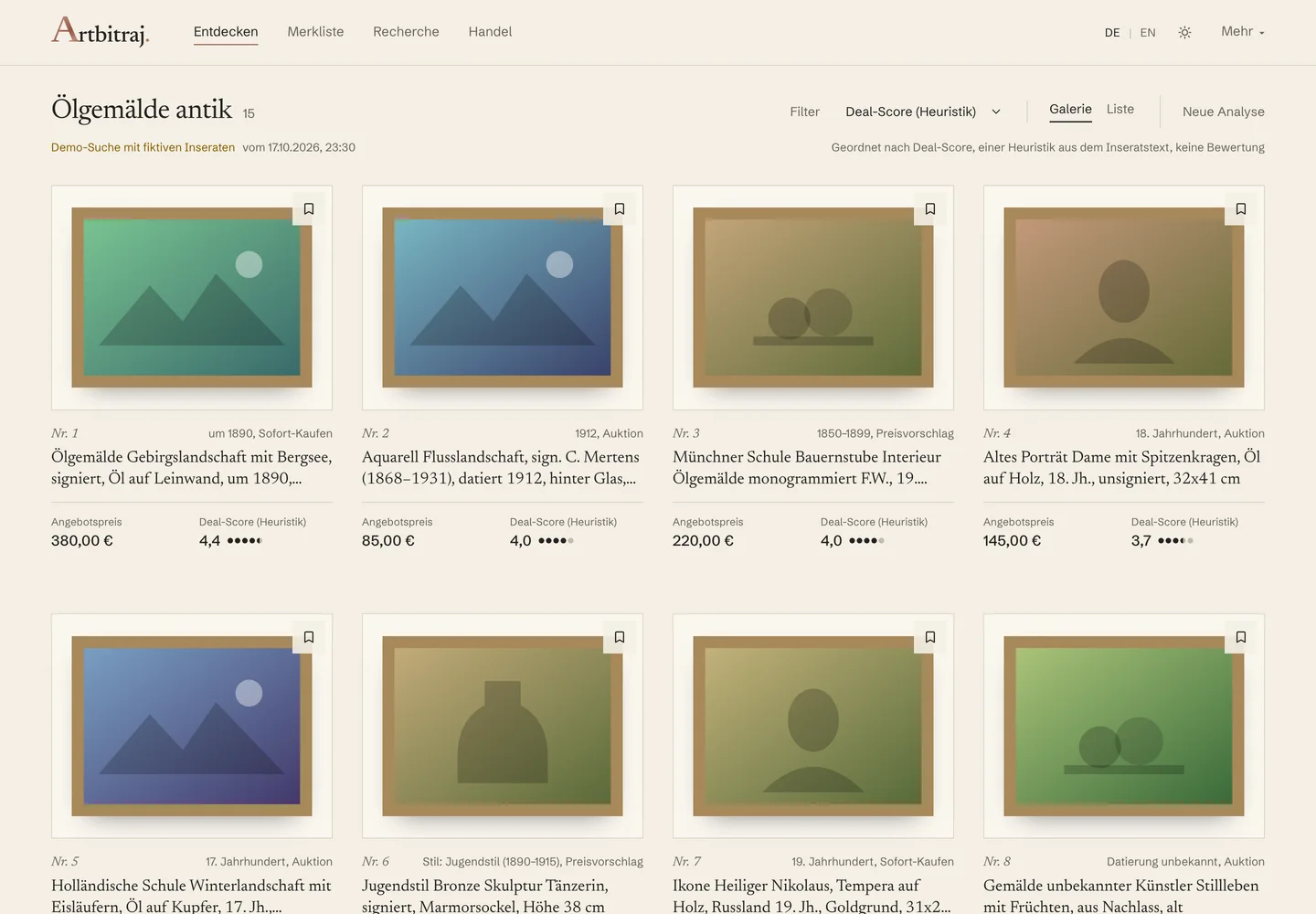
  1. DiscoverThe listings of an opened search as a catalogue: whole photos, asking price, deal score as a heuristic, warning signs from the text.
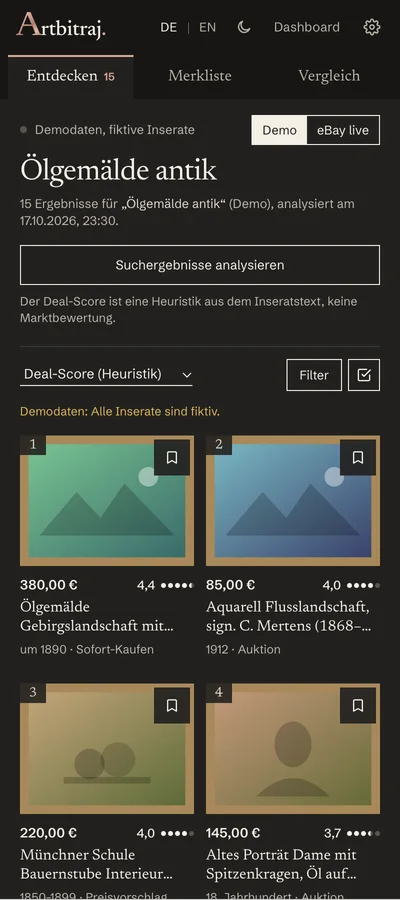
  2. Chrome side panelThe same ranking beside the page you are browsing: save, compare, open the research.
  3. WatchlistSaved objects with collections, tags, notes, status and target price – all stored in your browser.
  4. Research WorkspaceViewer, catalogue entry, reading lens, investigation chapters and notebook on one desk.
  5. AI quick analysisStructured findings with evidence, uncertainty and a preliminary resale range – the model and its cost one click away.
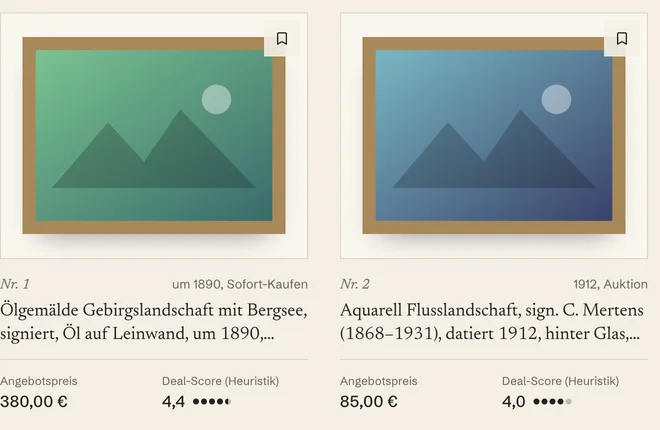
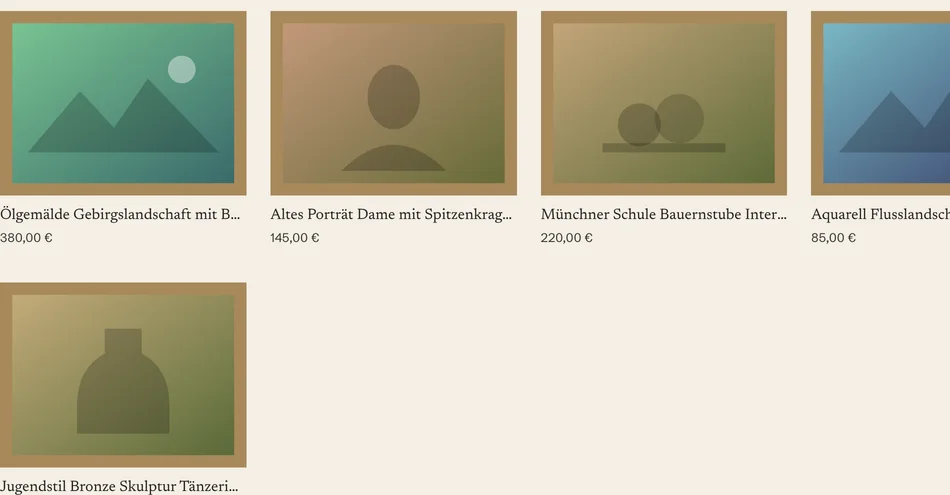
DiscoverThe listings of an opened search as a catalogue: whole photos, asking price, deal score as a heuristic, warning signs from the text.
Discover in the Artbitraj dashboard: a catalogue grid of listings with photo, title, asking price and deal score.
Demo data Dashboard, light mode, demo data
Chrome side panelThe same ranking beside the page you are browsing: save, compare, open the research.
The Artbitraj side panel next to a browser page: ranked listings in two columns with price and deal score.
Demo data Side panel at 400 px, dark mode, demo data
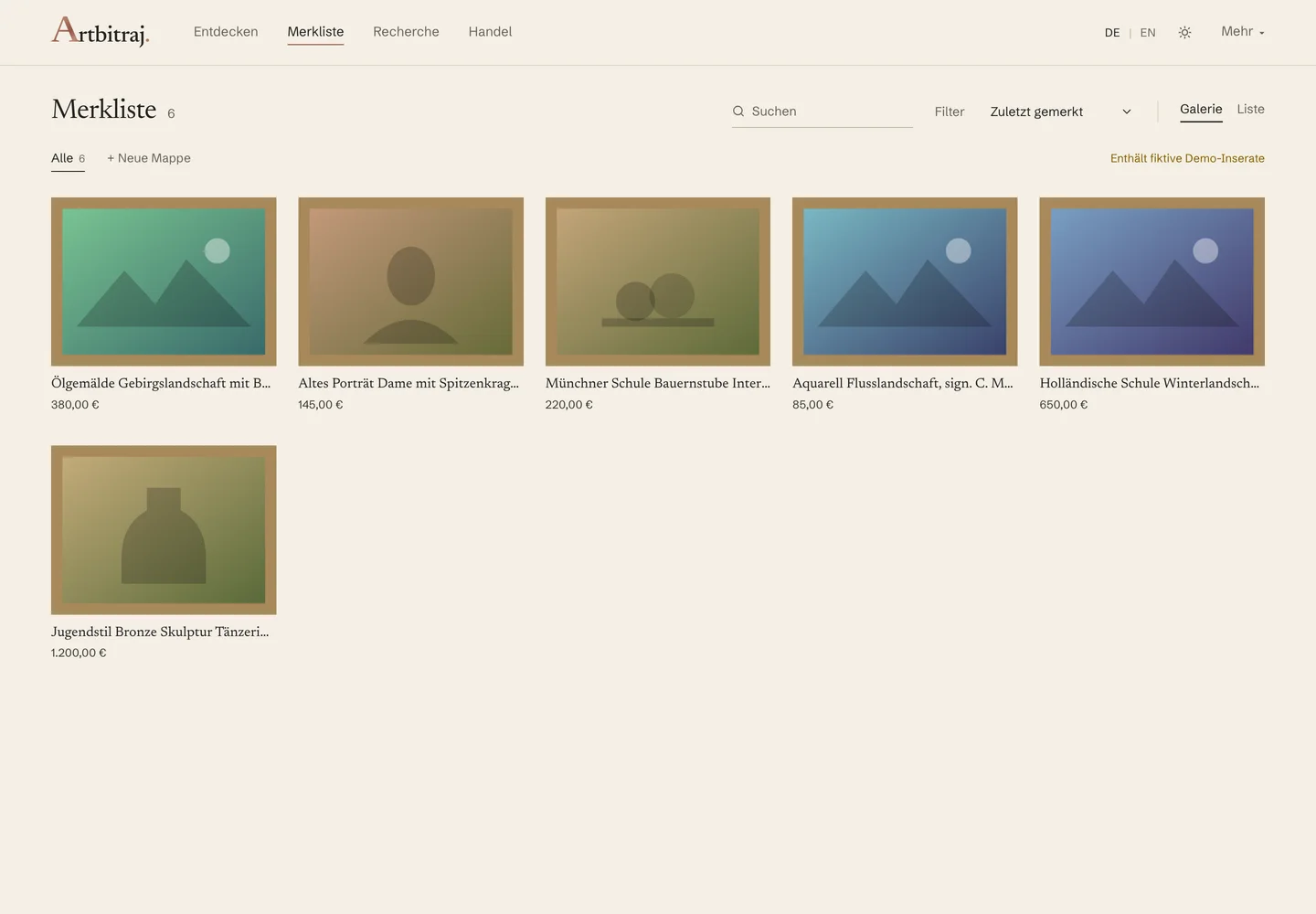
WatchlistSaved objects with collections, tags, notes, status and target price – all stored in your browser.
The watchlist: saved objects in a row of frames with title and price.
Demo data Dashboard, light mode, demo data
Research WorkspaceViewer, catalogue entry, reading lens, investigation chapters and notebook on one desk.
The Research Workspace: the artwork in the viewer on the left, the catalogue entry in the centre, the notebook on the right.
Demo data Dashboard, dark mode, demo case
AI quick analysisStructured findings with evidence, uncertainty and a preliminary resale range – the model and its cost one click away.
The AI quick analysis: time, artist or school, resale range, main risks and conclusion in labelled rows.
Demo data Dashboard, light mode, stored demo analysis

From discovery to understanding.

Four stages, one desk.

  1. 01
    DiscoverOpen a search, read its listings as a catalogue, and let the heuristics point at what deserves attention.
    Discover in the Artbitraj dashboard: a catalogue grid of listings with photo, title, asking price and deal score.
  2. 02
    InvestigatePhotograph, mark, compare. Keep seller claims, hypotheses and your own observations apart.
    The Research Workspace: the artwork in the viewer on the left, the catalogue entry in the centre, the notebook on the right.
  3. 03
    EvaluateWeigh the asking price against a preliminary range, the costs and the risks – with the uncertainty in view.
    The resale valuation: expected resale, asking price, gross margin, costs and net after costs.
  4. 04
    CollectKeep what matters in the watchlist, with collections, notes and status, in your own browser.
    The watchlist: saved objects in a row of frames with title and price.

Two rooms, one collection.

Artbitraj follows your system or your choice. The same screen, in both atmospheres.

Editorial galleryLight modeIvory and cream, charcoal type, rose gold.

Private auction houseDark modeDeep charcoal, warmer surfaces, ivory type, light rose gold.
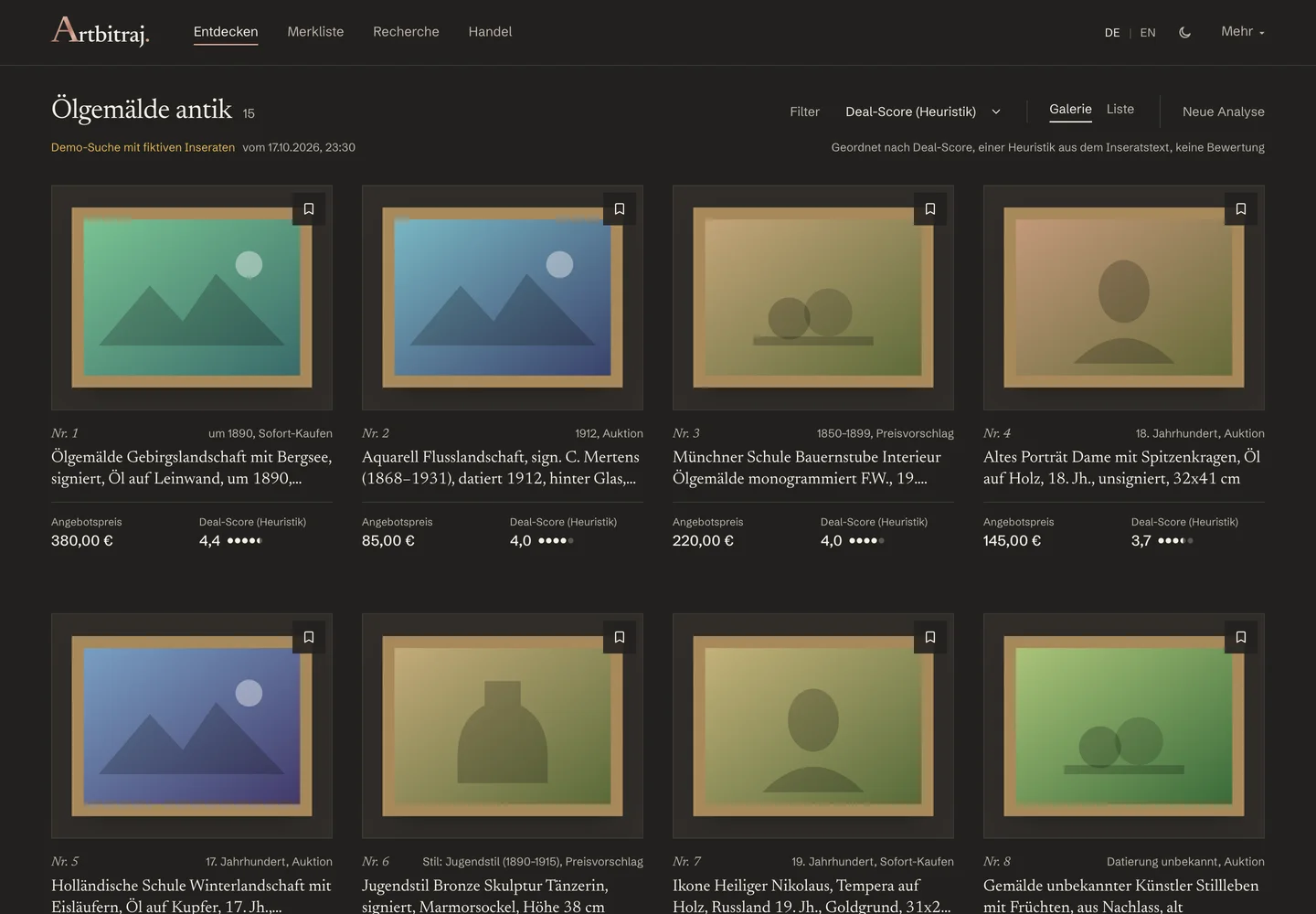
Discover in the Artbitraj dashboard: a catalogue grid of listings with photo, title, asking price and deal score. Light mode. Discover in the Artbitraj dashboard: a catalogue grid of listings with photo, title, asking price and deal score. Dark mode.

This switch only changes the preview. The website keeps its own atmosphere.

Demo data Discover, version 0.4.5, in both modes. Demo data.

Discover what others overlook.

An intelligent new way to explore the art market.

In development · early access

Early-access sign-up opens soon. Nothing is stored yet and no data is sent.

In the current version

  • Chrome extension for eBay searches you open yourself
  • Discover catalogue, watchlist and comparison
  • Research Workspace with photos, marked areas, notes and evidence
  • AI quick analysis with preliminary resale ranges, through a local backend with your own API key
  • Light and dark mode, German and English

Planned, not yet available

  • Research chat with the AI about a case
  • Accounts and subscriptions
  • Historical auction database and verified comparison prices
  • A portfolio of your acquisitions